



Lower Tax Deduction Certificate (LDC) in Oracle Fusion
What is LDC?
A Lower Deduction Certificate (LDC) is an authorization issued by the Income Tax Department that allows a payer to deduct tax at a lower rate (or in some cases, no tax at all) on certain payments such as contractor payments, rent, professional fees, etc., instead of the standard TDS rate under the Income Tax Act.
In Oracle Fusion, LDC details can be recorded and applied in the TDS setup so that the system automatically calculates TDS at the reduced rate for specific suppliers or transactions, ensuring compliance and avoiding excess deductions.
Uses in Oracle Fusion:
- TDS Compliance – Ensures tax deduction aligns with the approved lower rate from the tax authority.
- Automation – Automatically applies the LDC rate to invoices for eligible suppliers, reducing manual calculation errors.
- Supplier Relationship Management – Prevents over-deduction and improves vendor satisfaction by adhering to agreed tax rates.
- Audit & Reporting – Maintains proper records of LDC approvals and usage for audit purposes.
Steps to Configure & Apply Lower Deduction Certificate in Oracle Fusion
1. Navigate to set up and maintenance and search for “Manage Tax Rates and Recovery Rates”.
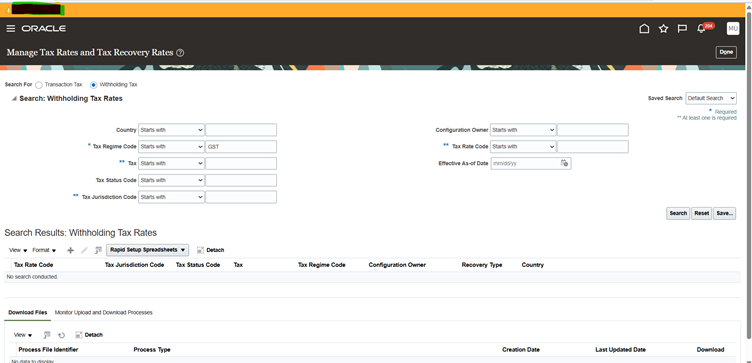
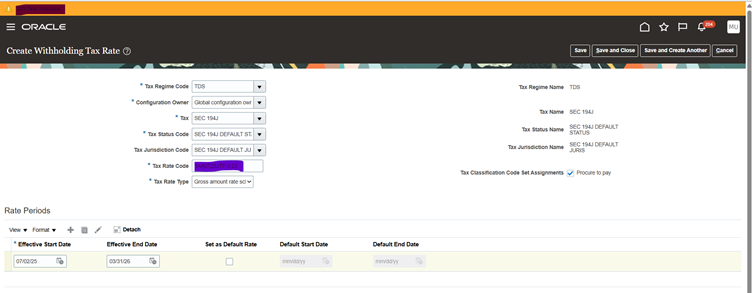
2.Click on ‘+ ‘Button and add the Information of LDC received from the Income Tax department.
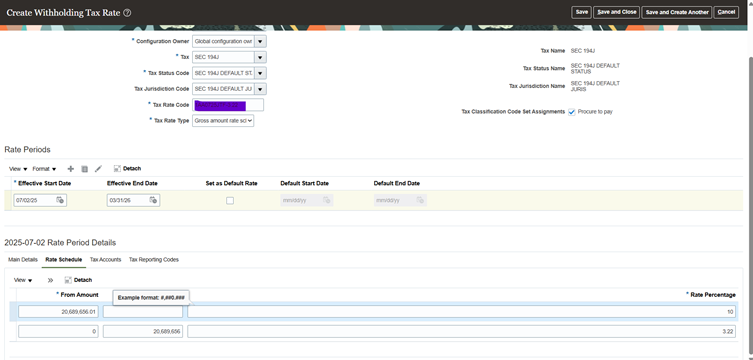
3.Under Rate Schedule click on ‘+’ to add Amount mentioned in the certificate and the ‘Percentage’ and click on Save and close.
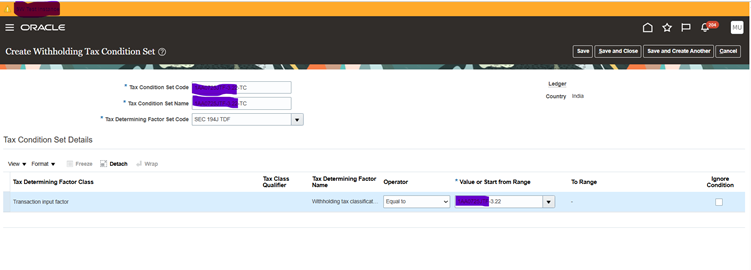
4.Navigate to ‘Tax Condition set’ and Click on ‘+’ button and add the Certificate Number
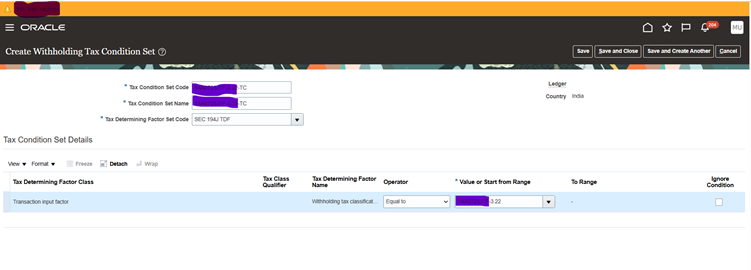
5.Under Tax Condition set details under Value range search for the Tax rate you defined earlier and click on save and close
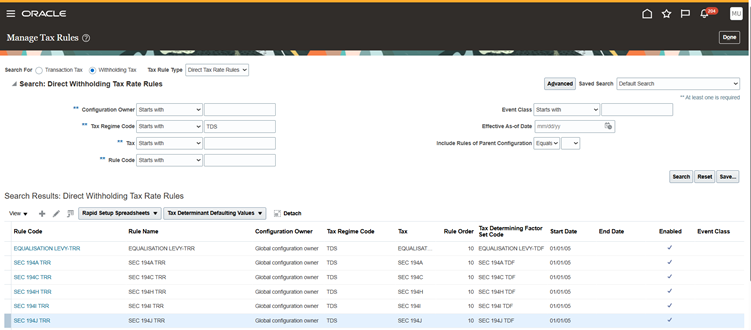
6.Navigate to ‘Manage Tax Rules’ and select the Tax rule type as ‘Direct Tax Rate Rule’ and click on search and select the Tax Rule code and click on ‘Edit’.
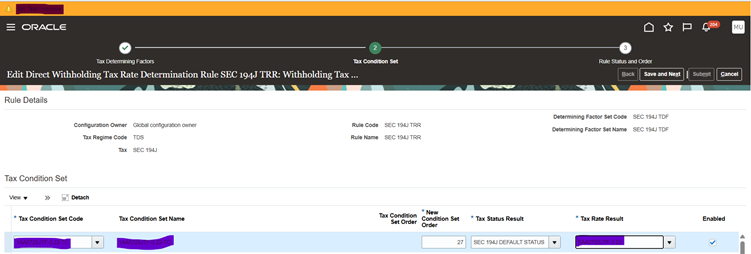
7.Click on ‘Next ‘Button and click on ‘+’ button to add the defined Tax code earlier and click on save and next and submit.
8. Navigate to Procurement >Suppliers and search for the supplier mentioned in the LDC Certification.
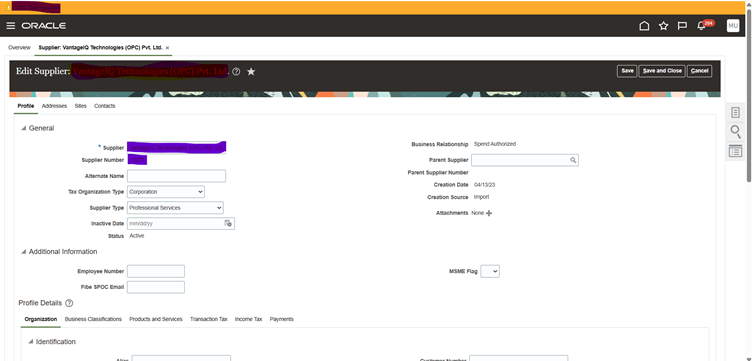
9. Under Business classification click on ‘+’ button to add the certificate Number, start date and End date which was defined in the system for the mentioned Legal Entity .
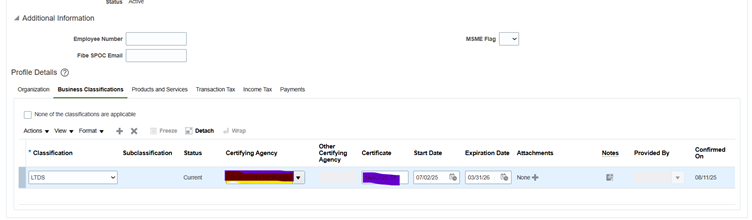
10.Click on save and close.
END




Leave a Reply
You must be logged in to post a comment.